Author: mbodybot

  • How to Ask for Reviews Without Sounding Awkward (or Violating Google’s Rules)

    How to Ask for Reviews Without Sounding Awkward (or Violating Google’s Rules)

    Most therapists know reviews matter. Most also find asking for them uncomfortable. You’ve just spent an hour helping someone relax or recover, and asking “Can you leave me a review?” can feel like breaking the spell — or like asking for a favor.

    The good news: asking well isn’t pushy. Most satisfied clients are happy to help; they just don’t think of it unless someone asks. This guide covers when to ask, what to say, what Google’s rules prohibit, and how to keep everything privacy-safe. It’s a supporting post for our upcoming review management guide (coming soon) and connects to our local marketing guide for massage and bodywork therapists.

    Why asking consistently matters

    Reviews affect both whether you show up and whether people choose you. In local results, review count, rating, and recency all play into how prominent your practice looks. And when someone compares three practices on a map, a steady stream of recent reviews signals an active, trusted business.

    The key word is steady. Twenty reviews in one week after a big push, followed by nothing for a year, looks less natural and helps less than two or three new reviews every month. That’s why a simple, repeatable habit beats a campaign.

    What Google’s rules say (the short version)

    Before the scripts, the guardrails. Google’s policies on reviews prohibit, among other things:

    • Incentives. No discounts, free add-ons, gift cards, or entries into drawings in exchange for reviews — even for “honest” reviews.
    • Review gating. Don’t selectively ask only clients you expect to be happy, or send people through a survey that only pushes satisfied ones to Google. Ask everyone, or ask by a consistent rule.
    • Fake or conflicted reviews. No reviews from yourself, staff, or family posing as clients, and no writing reviews for clients.
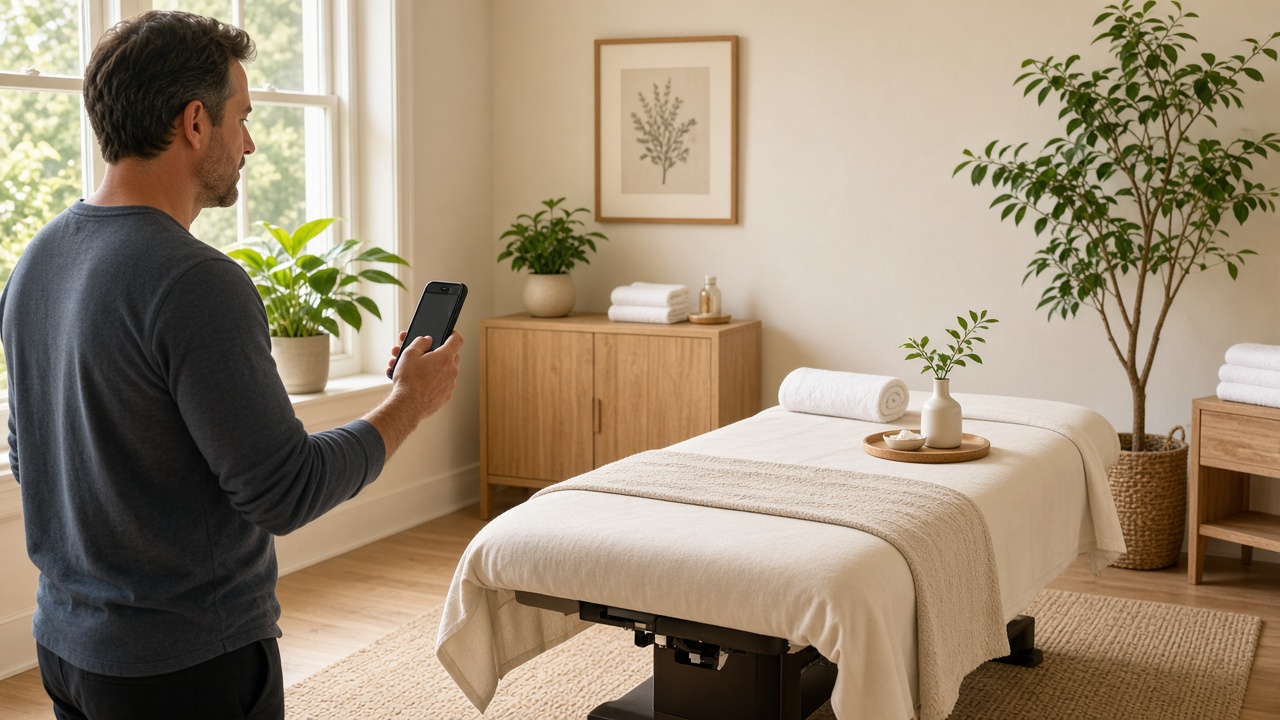
    • Review stations on-site that have clients post from a business device can look suspicious and are best avoided. Let clients use their own phones.

    Violations can lead to removed reviews, restrictions on your profile, or warnings shown to searchers. It’s not worth it.

    When to ask

    The best moment is when the client is clearly satisfied and still with you:

    • At checkout, especially when they rebook or say something positive (“I feel so much better”).
    • At a milestone — finishing a care plan with a chiropractor or PT, or a regular client’s tenth visit.
    • In a follow-up message a few hours after the session, if your booking system supports it.

    Avoid asking during the session, right after a first visit that didn’t go smoothly, or when a client seems rushed or emotional.

    What to say: scripts that don’t feel awkward

    The trick is to make it about helping others find you, not about doing you a favor. Keep it brief and give them an easy out.

    At checkout (in person):

    “I’m glad today helped. If you ever have a minute, a Google review really helps other people find us. No pressure at all — I’ll text you the link.”

    When they compliment you:

    “Thank you, that means a lot. Would you be open to sharing that in a quick Google review? It makes a big difference for a small practice like ours.”

    For regulars:

    “You’ve been coming for a while now, and I really appreciate it. If you’d ever be willing to write a short review about your experience here, it helps new clients feel comfortable booking.”

    At the end of a care plan (chiro/PT):

    “You’ve put in great work these past few weeks. If you’re comfortable sharing your experience, a Google review helps people who are where you were a couple of months ago.”

    Follow-up text or email:

    “Thanks for coming in today. If you’d like to share your experience, here’s a direct link to leave a Google review: [link]. Either way, we appreciate you.”

    Notice what these don’t do: they don’t ask for five stars, don’t offer anything in return, and don’t suggest what to write.

    Make it easy

    Friction kills reviews. Remove as much as you can:

    • Use your direct review link. In your Google Business Profile, look for “Ask for reviews” or “Get more reviews” to copy a short link that opens the review form directly.
    • Have a QR code at the front desk or on a small card that goes to that link. Clients scan it on their own phones.
    • Add the link to your booking system’s post-appointment message if it has one.
    • Text it rather than just saying “look us up on Google.”

    Privacy: the part bodywork practices must get right

    Massage, chiropractic, PT, and skincare involve health information and personal comfort. That changes how you handle reviews:

    • Never confirm someone is a client in your replies. Even if a reviewer says “Dr. Lee fixed my back,” your reply shouldn’t mention their condition, treatment, or visit details. A safe reply: “Thank you for sharing this — we’re so glad to hear the experience was a positive one.”
    • Be careful with follow-up messages. Don’t include treatment details in review-request texts or emails.
    • Don’t feature client reviews elsewhere (like social media or your website) with names or details without permission, and check whether your profession’s regulations add rules about testimonials.
    • If you work in a healthcare setting subject to privacy laws like HIPAA in the U.S., your review-request and reply process should follow your compliance obligations. When in doubt, say less.

    What about negative reviews?

    Asking everyone means you’ll occasionally get a mixed or negative review. That’s normal, and a few honest critiques among many positive reviews tend to make a profile look more credible, not less.

    Reply calmly, don’t confirm any details about the person’s visit, and invite them to contact you directly: “We’re sorry to hear this didn’t meet your expectations. We’d appreciate the chance to talk — please call or email us at your convenience.” We’ll cover this in depth in an upcoming post on replying to 3-star and negative reviews (coming soon).

    Build it into your routine

    A system you’ll actually maintain:

    1. Save your review link and print a small QR card.
    2. Decide your rule (e.g., ask every client at their second visit and at care-plan completion).
    3. Use one or two scripts until they feel natural.
    4. Reply to every new review once a week. Our weekly marketing checklist for solo therapists builds this in.

    Reviews are one part of a strong Google Business Profile. For the rest — categories, services, photos, and hours — see our Google Business Profile optimization guide for bodywork practices.

    Asked simply, honestly, and consistently, reviews stop being awkward. They become a normal part of checkout — and one of the most reliable ways for new clients nearby to find and trust you.

  • GBP Photos That Convert: What to Shoot, What to Skip

    GBP Photos That Convert: What to Shoot, What to Skip

    For most businesses, photos on a Google Business Profile are nice to have. For bodywork practices, they do real work. Booking a massage, adjustment, or facial means trusting a stranger in a private space, often partly undressed. Before someone books, they want to know: Is it clean? Is it calm? Who will I see? Can I find the door?

    Good photos answer those questions before anyone has to ask. This guide covers what to shoot, how to shoot it with a phone, and what to leave off your profile entirely. It supports our Google Business Profile optimization guide for bodywork practices.

    Why photos matter for bodywork

    People browsing the map pack often compare a few profiles side by side. Photos are one of the quickest ways to tell practices apart. A profile with a handful of dated, dim images looks less active than one with bright, current photos of real rooms and real people.

    Photos won’t override relevance or distance, and nobody can promise they’ll lift your ranking. But they shape the decision once someone is looking at you — and that decision is the whole point.

    What to shoot

    1. The exterior and entrance

    Show your building from the street, the sign, and the specific door clients use. If you’re in a shared building or suite, photograph the lobby directory and hallway too.

    Why it works: First-time clients worry about being late and lost. A clear “this is the door” photo reduces no-shows and frantic calls.

    2. Parking and access

    If you have parking, a lot behind the building, or a nearby garage, photograph it. Same for ramps, elevators, and accessible entrances.

    Why it works: Clients recovering from injuries, pregnant clients, and older clients care a lot about stairs and walking distance.

    3. Reception or waiting area

    A tidy, well-lit shot of where clients check in and wait.

    4. Every treatment room

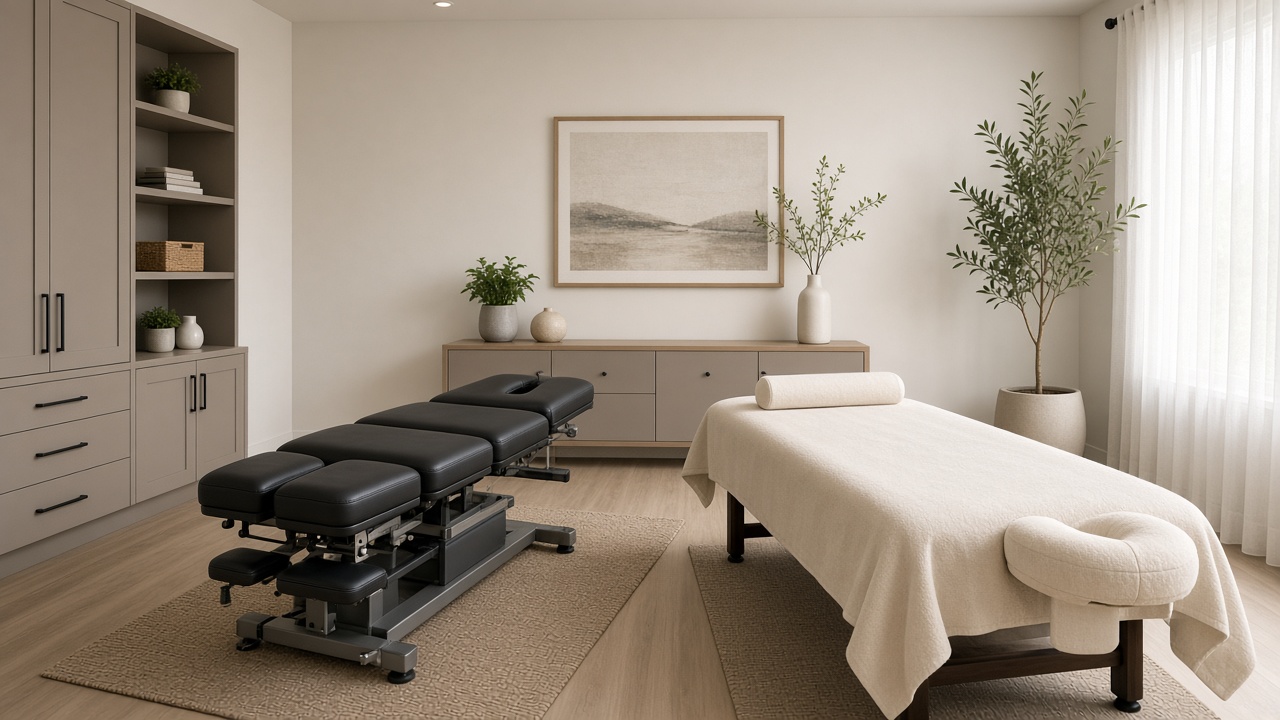
    Take a clean, straight-on shot of each room with the table made up, lighting set the way it is during sessions (but bright enough to see), and clutter removed. If rooms differ (a larger couples room, a room with a hydraulic table), show that.

    Why it works: This is the photo people look for most. It answers “is this clean and professional?” in a second.

    5. You and your team

    Friendly, natural photos of each practitioner — in the space, in work attire. A simple portrait by a window works better than a stiff headshot against a wall.

    Why it works: People book people. A face lowers anxiety, and for many clients, knowing who they’ll see is the deciding factor.

    6. Details that show care

    Fresh linens, a heated table pad, bolsters for prenatal positioning, a clean product shelf, a hand-washing station. These small shots signal professionalism without saying a word.

    7. Work in progress (carefully)

    A photo of a practitioner working — for example, hands on a shoulder, posture assessment, a chiropractic table setup — can help people understand what you do. Use a team member, friend, or model who has given written consent, keep it modest, and never use photos of actual clients without explicit written permission.

    How to shoot them well (with your phone)

    You don’t need a photographer, though a professional session every year or two is worth it if your budget allows.

    • Use daylight. Open blinds and shoot mid-morning. Turn off mixed overhead lights that cast yellow or green tones.
    • Shoot at chest height, straight on, with vertical lines straight. Tilted angles make rooms look smaller.
    • Clean first. Remove cords, laundry bins, personal items, and stacks of paperwork.
    • Use the main camera, not digital zoom. Step back instead of zooming.
    • Keep editing light. Brighten and straighten. Avoid heavy filters — clients notice when the room doesn’t match the photos.
    • Shoot horizontal and square options. Google crops differently in different views.

    Batch your shoot: 20 minutes on a quiet morning can produce two months of photo updates. Add one or two per week as part of your weekly marketing checklist.

    What to skip

    • Stock photos. Clients can tell, and it raises the question of what your real space looks like. Google’s guidelines also expect photos to represent your actual business.
    • Identifiable clients without explicit written permission. Even a happy regular’s photo can feel like a privacy issue to them later — and in healthcare-adjacent settings, it can create compliance problems. Don’t post photos that suggest someone is a client.
    • Text-heavy graphics and flyers. Promotional images with lots of text look like ads and are hard to read on phones. Save offers for Google Posts.
    • Before-and-after photos with claims. Particularly in skincare and chiropractic, these can imply results you can’t promise and may run into advertising rules in your profession.
    • Dark, moody “ambiance” shots. They look great in person and murky on a phone.
    • Old photos of a previous space or former staff. Remove these. They create confusion and awkward conversations.

    Dealing with photos you didn’t upload

    Anyone can add photos to your profile, and Google sometimes features them. Most are harmless (a client’s photo of your sign), but occasionally you’ll find a blurry, unflattering, or irrelevant image.

    You can’t delete customer-uploaded photos directly, but you can report ones that are inappropriate or don’t represent your business. The more effective long-term fix is adding enough strong photos of your own that they become what people see first.

    Setting your logo and cover photo

    • Logo: a clean, square version of your logo on a plain background.
    • Cover photo: your owner-preferred main image. A bright treatment room or a welcoming exterior usually works best. Google may not always show your chosen cover, but setting one tells Google what you prefer.

    A simple photo plan

    Initial set (one session):
    – 2 exterior / entrance
    – 1 parking or accessibility
    – 1 reception
    – 1–2 per treatment room
    – 1 per practitioner
    – 3–5 detail shots

    Ongoing:
    – 1–2 new photos per week or every other week
    – Full refresh of room and team photos once a year, or whenever something changes (remodel, new team member)

    Where photos fit in the bigger picture

    Photos are one part of a complete profile alongside accurate categories, services, hours, and reviews. If you haven’t checked your categories recently, see how to choose the right GBP categories for massage and chiropractic. For the full system across your profile, reviews, and website, start with our guide to local marketing for massage and bodywork therapists.

    The goal is simple: when someone nearby is choosing between three practices, your photos should make the choice feel easy and safe.

  • How to Choose the Right Google Business Profile Categories for Massage and Chiropractic

    How to Choose the Right Google Business Profile Categories for Massage and Chiropractic

    Of all the fields in your Google Business Profile, categories are one of the easiest to overlook and one of the most important to get right. Your primary category tells Google what kind of business you are, which affects which searches you can show up for and which features your profile gets (like service menus and booking options).

    Many massage therapists and chiropractors chose a category in a hurry when they first set up their profile and haven’t looked at it since. This guide explains how categories work, the main options for bodywork practices, and how to choose without gaming the system.

    It supports our Google Business Profile optimization guide for bodywork practices.

    How categories work

    You get one primary category and can add up to nine additional categories.

    • The primary category is the strongest signal. It should describe your core business — what most clients come to you for.
    • Additional categories describe other real, distinct services you offer. They can help you appear for related searches, but they carry less weight and shouldn’t be used to cover every possible keyword.

    Categories also unlock features. Some categories show certain attributes, booking options, or service templates that others don’t. That’s another reason to choose accurately rather than strategically.

    A quick note: Google’s category list changes over time, and availability varies by country. Always type in the category field and see what Google offers today rather than relying on any list (including ours) as final.

    Common categories for bodywork practices

    Massage practices

    • Massage therapist — the most accurate choice for most licensed massage therapists and massage-focused practices, whether solo or with a small team.
    • Massage spa — fits businesses with a spa-style experience and atmosphere, often with additional spa services.
    • Day spa — better for businesses offering a broad menu (facials, body treatments, nails, massage) where massage is one of several services.
    • Sports massage therapist or similar specialty categories — worth considering as additional categories if available in your region and you genuinely specialize.

    Chiropractic practices

    • Chiropractor — the primary for nearly every chiropractic office.
    • Possible additional categories depending on what you actually offer in-house: Massage therapist (if you employ an LMT), Physical therapist or Physical therapy clinic (only if licensed PT services are provided), Acupuncturist (only if a licensed acupuncturist practices there), Sports medicine clinic (carefully — only if it truly describes your services).

    Related practices

    • Physical therapy clinic / Physical therapist for PT practices.
    • Skin care clinic or Facial spa for skincare businesses.
    • Acupuncturist, Reflexologist, Wellness center, and others as they genuinely apply.

    How to choose your primary category

    Ask three questions:

    1. What do most clients book? If 80% of appointments are massage, your primary is a massage category, even if you also sell skincare products.
    2. What would a client call you? “My massage therapist” vs. “the spa” vs. “my chiropractor.” Match how people describe you.
    3. What do the strongest nearby competitors use? Search for your main service, look at the top local results, and note their primary categories (visible on their profile under the business name). This isn’t about copying; it’s a sanity check on how Google classifies similar businesses in your area.

    “Massage therapist” vs “Massage spa”

    This is the most common question we hear. In practice:

    • If you’re a clinical or therapeutic practice — deep tissue, injury work, medical massage, sports massage — Massage therapist usually describes you better.
    • If the experience is spa-forward — relaxation, ambiance, packages, add-ons like hot stones or aromatherapy, maybe facials — Massage spa may fit better.

    Some practices sit in between. In that case, choose the one that matches what most clients come for, and add the other as an additional category only if it’s genuinely accurate.

    How to choose additional categories

    Good additional categories are:

    • True — the service is regularly offered by qualified staff at this location.
    • Distinct — it’s a different type of service, not just a variation (deep tissue and Swedish are both massage; use your Services list for those, not categories).
    • Something people search for separately — e.g., “acupuncturist” or “physical therapist.”

    Bad additional categories are added “just in case.” A massage practice that adds “Physical therapy clinic,” “Chiropractor,” and “Wellness center” without offering those services risks confusing searchers, getting irrelevant calls, and drawing edits or reports.

    Remember that individual treatments belong in the Services section. Categories describe the type of business; services describe what can be booked. Our GBP optimization guide covers how to write those service descriptions.

    Practitioner vs. practice profiles

    In multi-practitioner clinics, Google allows individual practitioners (like a chiropractor or physical therapist) to have their own profiles in addition to the practice profile, under certain conditions. Practitioner profiles should use categories that match that person’s profession, while the practice profile reflects the business as a whole.

    For a clinic with one chiropractor and one massage therapist, a common setup is a practice profile with “Chiropractor” as primary and “Massage therapist” as additional. Check Google’s current guidelines for practitioner listings before creating extra profiles — duplicates and improper listings can cause problems.

    When to change your category

    Changing your primary category isn’t something to do casually. It can temporarily affect which searches you appear in, and frequent switching can trigger a re-verification. Reasonable times to change:

    • Your business model has genuinely shifted (you added a full spa menu, or moved from spa-style to clinical work).
    • Your current category is clearly inaccurate.
    • Google introduced a more specific category that fits you better.

    When you change, note the date in your tracking log and watch Performance data over the next month or two. Don’t panic about short-term fluctuations.

    Mistakes to avoid

    • Picking a broad category to “catch more searches.” “Wellness center” for a solo massage therapist rarely helps and often hurts relevance.
    • Using all nine additional slots with loosely related categories.
    • Category-stuffing as a substitute for services. Use your Services list and website service pages for treatment-level detail.
    • Never checking again. Google sometimes adds or changes categories, and public suggested edits can alter yours. Check monthly as part of your weekly marketing checklist routine.

    Quick decision summary

    • Solo LMT or therapeutic massage practice → Massage therapist
    • Spa-style massage business → Massage spa (or Day spa if massage is one of many services)
    • Chiropractic office → Chiropractor, plus truthful additions for in-house services
    • PT practice → Physical therapy clinic or Physical therapist
    • Skincare business → Skin care clinic or Facial spa

    Categories are one piece of relevance. The rest comes from your services, description, photos, reviews, and website. For the full picture, see our Google Business Profile guide and our overview of local marketing for massage and bodywork therapists.

  • A Realistic Weekly Marketing Checklist for Solo Therapists

    A Realistic Weekly Marketing Checklist for Solo Therapists

    Most marketing advice is written for businesses with a marketing person. You don’t have one. You have back-to-back sessions, laundry, SOAP notes, a booking system that occasionally misbehaves, and maybe an hour between clients if a cancellation comes through.

    So this checklist is built around a simple premise: if it doesn’t fit into roughly 30–45 minutes a week, a solo therapist won’t keep doing it. And consistency beats intensity in local marketing. A small amount done every week outperforms a big push every six months.

    It supports our guide to local marketing for massage and bodywork therapists, which explains why each of these pieces matters.

    Before you start: one-time setup (about 2 hours)

    Do these once so the weekly routine stays fast:

    • Claim and verify your Google Business Profile, and make sure categories, services, hours, and photos are complete. Use our GBP optimization guide as your checklist.
    • Save your review link. In your profile, find the “Ask for reviews” or “Share review form” option and copy the short link. Save it in your phone notes and in your booking system’s follow-up message if it has one.
    • Create a simple tracking note. A spreadsheet or notes app with columns for date, new reviews, posts, and anything you changed. This is how you’ll notice what’s working.
    • Set two recurring calendar reminders: a weekly 30-minute “marketing block,” and a monthly 20-minute “profile check.”

    The weekly checklist (30–45 minutes)

    Pick a consistent slot. Many therapists use the first 30 minutes of a lighter morning, or a gap that regularly opens up mid-week.

    1. Reviews (10 minutes)

    • Reply to every new review. Keep replies short, warm, and specific to what the reviewer said — without confirming they’re a client or mentioning any treatment details. “Thank you for taking the time to share this — we’re glad the studio felt relaxing” works for nearly any positive review.
    • For negative or mixed reviews, don’t reply in the heat of the moment. Draft a calm response that acknowledges the concern and invites them to contact you directly, then post it the next day.
    • Check you asked this week. Did you ask each happy regular or new client in person at checkout? If not, note the days you forgot and make it part of your checkout routine. Our guide on how to ask for reviews without sounding awkward has scripts.

    2. Google Business Profile (10 minutes)

    • Look for new questions and answer them.
    • Check for suggested edits or changes you didn’t make.
    • Add one thing: a new photo, a short post, or an updated service description. One per week is enough.
    • Look two weeks ahead for holidays, vacations, or training days and set special hours now.

    3. Website (5–10 minutes)

    • Check the booking path on your phone. Open your site, tap Book, and make sure it works. Booking widgets break more often than people realize, and nobody tells you — they just book somewhere else.
    • Note one question clients asked this week that your website doesn’t answer clearly (parking, what to wear, intake forms, insurance). Add it to a running list for your next content update.

    4. Track (5 minutes)

    Write down:

    • New reviews this week
    • Anything you posted or changed
    • Roughly how many new clients mentioned finding you on Google or Maps

    You’re not building a dashboard. You’re giving future-you enough information to see patterns.

    The monthly add-on (20–30 minutes)

    Once a month, spend a little extra time:

    • Review your profile’s Performance data — calls, direction requests, website clicks. Compare to last month, not last week.
    • Refresh one or two photos, especially if anything in the space has changed. See GBP photos that convert for what works.
    • Double-check your categories and services still match what you actually offer. If you’ve added cupping, prenatal, or a new modality, update both your profile and your website. Our category guide covers when (and when not) to add categories.
    • Act on one item from your running list of client questions — add an FAQ answer or improve a service page.

    The quarterly add-on (about an hour)

    • Search your business name and phone number. Fix any directory listings with old info.
    • Check for duplicate Google profiles (common after moves or rebrands).
    • Look at your tracking note: which months had the most new reviews? What did you do differently?
    • Plan the next quarter’s seasonal posts — gift certificates, New Year, back-to-school, race season.

    What to skip (for now)

    As a solo practitioner, you can safely deprioritize:

    • Daily social media posting. It can help with community and retention, but it rarely drives as many new local bookings as a strong Google profile and reviews do for its time cost.
    • Constant website redesigns. Fix broken things and add useful content instead. Here’s why “near me” searches matter more than your homepage.
    • Paid ads before your profile and reviews are in order. Ads send people to the same profile and site. Fix those first.
    • Chasing ranking reports. Map positions vary by where the searcher stands. Focus on what you control.

    Making it stick

    A few habits that make this sustainable:

    • Tie review asks to a physical moment — handing over the receipt, rebooking, or the goodbye at the door.
    • Batch photos. Take ten on a quiet morning and post one per week.
    • Draft review replies in your notes app, then paste them in when you have a minute.
    • Don’t make up missed weeks. If you miss one, just do the next one. Consistency over months matters more than any single week.

    If you’d rather not do it all yourself

    Some owners enjoy this work; many would rather spend the time with clients. Options range from handing pieces to a front-desk person, to hiring an agency, to using tools that handle the repetitive parts. Our own toolkit — three bots covering Google profile updates, SEO content, and simple reporting for $97/month — was built for exactly this weekly routine, but the checklist above works fine done by hand.

    Whatever you choose, the principle is the same: small, steady, accurate. That’s what builds local visibility over time. For the full framework, see our local marketing guide for massage and bodywork therapists.

  • Why “Near Me” Searches Matter More Than Your Homepage

    Why “Near Me” Searches Matter More Than Your Homepage

    Most practice owners think of their website homepage as the front door. You paid for the design, chose the photos, wrote the welcome message. It feels like the place new clients meet you.

    For most new clients, it isn’t. The first place they meet you is a search results page — usually a map with three practices on it — after typing something like “massage near me,” “chiropractor near me open now,” or “facial near me.” By the time anyone sees your homepage, they’ve often already decided whether you’re worth a look.

    This post explains how “near me” searches actually work, why they matter so much for bodywork practices, and what to focus on instead of endlessly tweaking your homepage. It supports our guide to local marketing for massage and bodywork therapists.

    What happens when someone searches “massage near me”

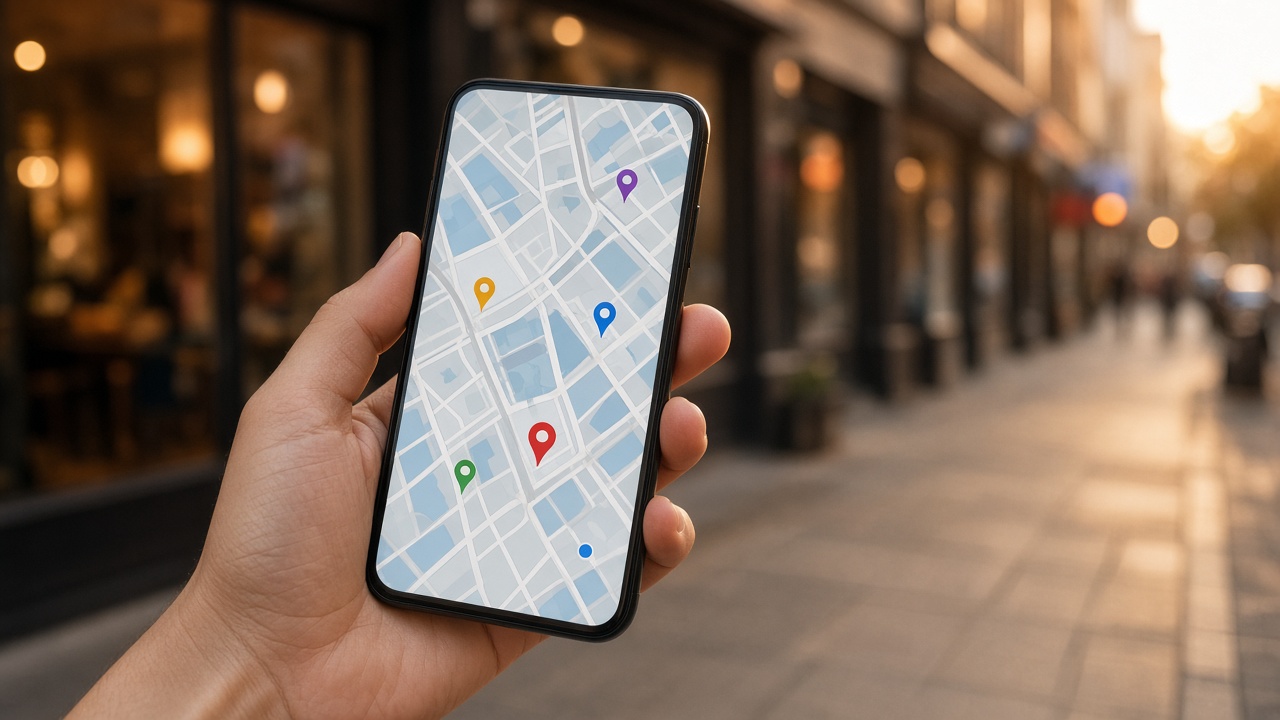
    When someone searches with local intent, Google typically shows a map with a short list of businesses — the “local pack” — above or among the regular website results. Each listing shows your name, rating, review count, category, hours, and often a photo. On a phone, buttons to call, get directions, or visit the website are one tap away.

    Notice what’s not in that list: your homepage design, your tagline, your carefully written About page.

    Plenty of people decide right there. They see four-point-eight stars, “Open until 8 PM,” and a photo of a calm treatment room, and they tap Call. Others click into your Google Business Profile to read reviews and look at more photos. Only some click through to your website, and when they do, they often land on a specific service page rather than your homepage.

    Why bodywork searches are especially local

    Massage, chiropractic, PT, and skincare are services people need to physically travel to (or have come to them). Nobody books a 60-minute massage 45 minutes away when there’s a good option ten minutes away. That makes distance and convenience part of almost every decision.

    It also means many searches don’t even include “near me.” Google infers local intent from searches like “deep tissue massage” or “sports chiropractor” and shows map results anyway, based on the searcher’s location.

    Practically, this means:

    • Your profile is competing with the handful of practices closest to the searcher, not with every practice in the city.
    • Small details — “Open Sunday,” “Wheelchair accessible,” “Online appointments” — can decide who gets the call.
    • Reviews and photos do much of the persuading before your website gets a chance.

    What decides who shows up

    Google says local results are based mainly on relevance, distance, and prominence. You can’t move your building, but you can influence the other two:

    • Relevance: accurate primary and secondary categories, a full services list, and a clear description that says what you do. Our GBP categories guide walks through the choices for massage and chiropractic.
    • Prominence: a steady flow of genuine reviews, thoughtful replies, consistent business information around the web, and a website with real content about your services.

    No one can promise you a top-three spot. A practice two blocks closer to the searcher will sometimes appear first no matter what. But a complete, active profile gives you a much better chance across the many searches happening around you every day.

    Your website still matters — just differently

    This isn’t an argument to ignore your website. It’s an argument to stop treating the homepage as the main event.

    Your website does three jobs in local search:

    1. It supports your profile’s relevance. Google reads your site to understand what you offer. A page dedicated to prenatal massage makes it more likely you’ll appear for prenatal searches.
    2. It closes the decision for careful researchers. Someone with a back injury or a first-time massage client may want to read about what a session involves, your credentials, and your policies.
    3. It’s where booking often happens. If the path from profile to booking is clumsy, you lose people who were ready to book.

    So the pages that matter most are often your service pages, your booking page, and a clear contact/location page — not the homepage hero image. We’ll cover this in our upcoming website content and local SEO guide (coming soon).

    A practical example

    Picture two massage studios a mile apart.

    Studio A has a beautiful website with a video background. Its Google profile lists one category, “Massage spa,” three photos from 2019, hours that haven’t been updated for the new Saturday schedule, and 14 reviews — the newest from last year.

    Studio B has a simple website with one page per service. Its profile has an accurate primary category, a full services list, recent photos of each room and therapist, current holiday hours, and 60 reviews with a few new ones each month, each with a short reply.

    A runner searches “sports massage” on Saturday morning. Studio B appears with “Open now” and a recent review that mentions post-race recovery. Studio A appears as “Closed” because its hours are wrong. The runner never sees Studio A’s video.

    Where to put your time instead

    If you have an hour this week for marketing, here’s how we’d split it:

    1. 15 minutes — audit your Google Business Profile. Check categories, hours (including upcoming holidays), services, and photos. Our GBP optimization guide has the full checklist.
    2. 15 minutes — reviews. Reply to any unanswered reviews, and set up a simple way to ask at checkout. See how to ask for reviews without sounding awkward.
    3. 15 minutes — photos. Take five new, well-lit photos of your space and team. See GBP photos that convert.
    4. 15 minutes — check the path to booking. On your phone, search for your practice, tap through to your site, and try to book. Fix anything that slows you down.

    None of these involve redesigning your homepage.

    Common misconceptions

    “If my website ranks, I’ll get found.” For local services, the map often appears before website results. Ranking your site helps, but the profile is usually seen first.

    “Adding ‘near me’ to my website will help.” Writing “massage near me” on your pages reads awkwardly and doesn’t do what owners hope. Google already knows where you are. Mention your actual neighborhood, city, and landmarks naturally instead.

    “I have good reviews, so I’m fine.” Recency matters to people. A 4.9 rating with no reviews in a year can look like a practice that’s slowed down or closed.

    “Once it’s set up, it’s done.” Hours change, services change, Google accepts public edits. Profiles need light, regular attention.

    The takeaway

    Your homepage isn’t useless — it’s just not where most first impressions happen anymore. For bodywork practices, the decision often begins and sometimes ends on a map listing. Make that listing accurate, complete, and active, make sure your site backs it up with clear service information, and make booking easy.

    For the full picture of how your profile, reviews, website, and routine fit together, start with our local marketing guide for massage and bodywork therapists. For a sustainable rhythm, use the weekly marketing checklist for solo therapists.

  • Google Business Profile Optimization for Bodywork Practices

    Google Business Profile Optimization for Bodywork Practices

    If you run a massage, chiropractic, physical therapy, or skincare practice, your Google Business Profile (GBP) is probably seen by more potential clients than your website. It is what shows up in the map pack when someone searches “massage near me,” “chiropractor open Saturday,” or “sports massage [your town].” It is often the first place someone checks your hours, reads reviews, and taps to call or book.

    Yet most practice owners set it up once, years ago, and rarely look at it again. Between sessions, laundry, notes, and billing, the profile drifts: the hours are wrong over a holiday, the photos are from before the remodel, the services list says “massage” and nothing else.

    This guide walks through every part of a Google Business Profile that matters for a bodywork practice, in the order we’d fix them, with the practical details that trip owners up. It is part of our broader guide to local marketing for massage and bodywork therapists, which explains how your profile, reviews, and website work together.

    One honest note before we start: nobody can guarantee a map ranking. Google weighs relevance, distance, and prominence, and you can’t control where a searcher is standing. What you can control is whether your profile is accurate, complete, and convincing enough that the people who see it choose you.

    How Google decides which practices to show

    Google’s own guidance names three factors for local results:

    • Relevance — how well your profile matches what the person searched. Categories, services, and your description feed this.
    • Distance — how far you are from the searcher (or the location in their query). You can’t change this, which is why a profile 0.3 miles away sometimes outranks a better one across town.
    • Prominence — how well known you are. Review count and rating, links and mentions around the web, and your overall web presence feed this.

    For a solo therapist or small clinic, the practical takeaway is simple: you win on relevance and prominence by being specific, accurate, and consistently active. You don’t win by stuffing keywords into your business name (which violates Google’s guidelines and can get a profile suspended).

    Step 1: Get the foundations exactly right

    Business name

    Use your real-world business name — what’s on your sign, your website, and your paperwork. “Riverside Massage Studio” is fine. “Riverside Massage Studio – Deep Tissue, Sports Massage, Prenatal Massage Near Downtown” is not, and competitors do report it.

    If you practice under your own name (common for LMTs and chiropractors), use the name clients know you by, such as “Dr. Ana Ruiz, DC” or “Jordan Lee Massage Therapy.”

    Address and service area

    If clients come to you, show your address. If you’re mobile (in-home or event massage) and don’t receive clients at your location, Google expects you to hide the address and set a service area instead.

    A common problem: therapists who rent a room inside a salon or wellness center. You can usually have your own profile if you have your own business, a consistent way for clients to reach you, and you’re staffed there during stated hours. Add your suite or room number so your listing is distinct from the host business.

    Phone and website

    Use a local number that you or your front desk actually answers. If you use call tracking, put the tracking number as primary and your main number as an additional phone, so your contact info stays consistent across the web.

    For the website link, point to the page that best matches the profile. For a single-location practice, that’s usually the homepage. If you have multiple locations, link each profile to its own location page.

    Hours, including the exceptions

    Regular hours are obvious. The ones that cost bookings are the exceptions: holidays, vacation weeks, continuing-education days, snow closures. Google lets you set special hours ahead of time. A client who drives over on a closed holiday doesn’t come back, and they may leave a review about it.

    Set a recurring reminder before each major holiday to add special hours. It takes two minutes.

    Step 2: Choose categories carefully

    Your primary category is one of the strongest relevance signals on your profile. Pick the one that describes your core business, not everything you do. For most massage practices that’s “Massage therapist” or “Massage spa”; for chiropractors, “Chiropractor”; for PT clinics, “Physical therapy clinic” or “Physical therapist.”

    Secondary categories cover real, distinct offerings — for example, a chiropractor who has an in-house massage therapist might add “Massage therapist.” Don’t add categories for services you don’t actually provide; it dilutes relevance and confuses clients.

    We cover the trade-offs in detail (including the difference between “Massage therapist” and “Massage spa,” and when to switch your primary) in How to choose the right Google Business Profile categories for massage and chiropractic.

    Step 3: Build out services, not just categories

    Categories say what kind of business you are. Services say what someone can actually book. Under Services, add each treatment you offer with a short, plain description:

    • Deep tissue massage — 60 or 90 minutes, focused work on chronic tension in the back, neck, and shoulders.
    • Prenatal massage — side-lying positioning with supportive bolsters, for clients in their second and third trimester.
    • Spinal adjustment — initial exam and adjustment; follow-ups as recommended.

    Write the descriptions the way you’d explain them on the phone. Mention who the service is for and what to expect. Add prices if you’re comfortable; “from” pricing is fine. Avoid medical claims you can’t support (for example, “cures sciatica”).

    Services that match your website’s service pages reinforce each other. If you only have one “Services” page on your site, that’s a sign it’s time to build one page per treatment (a topic we’ll cover in our upcoming website content and local SEO guide).

    Step 4: Write a description that sounds like a person

    You have 750 characters. Google shows only the first part in many views, so lead with what you do, for whom, and where.

    A solid structure:

    1. What you are and where: “Licensed massage therapy studio in downtown Riverside.”
    2. Who you help: “We work with desk workers, runners, and expecting mothers.”
    3. What makes the experience distinct: “Every session starts with a short intake so pressure and focus match what your body needs that day.”
    4. Practical details: “Free parking behind the building. Online booking available.”

    Skip URLs, promotional language (“best massage in town!”), and keyword lists. Google’s guidelines don’t allow links or promotional offers in the description, and clients skim past hype anyway.

    Step 5: Use attributes that answer real questions

    Attributes are the small labels like “Wheelchair accessible entrance,” “Appointment required,” “Online appointments,” or identity attributes the owner can choose to add. They vary by category and region.

    Go through every one available and set the ones that are true. Accessibility details matter more than most owners realize — someone recovering from an injury is going to check whether there are stairs.

    Step 6: Photos that make someone comfortable booking

    For bodywork, photos do a specific job: they lower the anxiety of walking into an unfamiliar, fairly personal space. People want to see that the room is clean, calm, and private, and they want to see who they’ll be working with.

    The essentials:

    • Exterior from the street and the entrance, so people can find you.
    • Reception or waiting area.
    • Each treatment room, tidy and well lit.
    • You and your team, friendly and professional.
    • Details that signal care: fresh linens, accessibility features, parking.

    Skip stock photos, heavily filtered images, and anything showing identifiable clients unless you have explicit written permission. More on this in GBP photos that convert: what to shoot, what to skip.

    Step 7: Booking and messaging

    If you use a booking platform that integrates with Google, you may be able to add a “Book” button directly on your profile. If not, add your online booking URL as your appointment link.

    Turn on messaging only if someone will actually respond promptly. A chat feature that goes unanswered for two days looks worse than not having one. If you’re a solo therapist working back-to-back sessions, it’s reasonable to leave messaging off and make calling or online booking easy instead.

    Step 8: Questions and answers

    Anyone can ask (and answer) questions on your profile. Owners rarely check, which means a stranger can answer “Do you take insurance?” incorrectly.

    Check periodically and answer clearly. You can also think about the questions you get on the phone every week — parking, what to wear, cancellation policy, whether you do couples massage — and make sure those answers are easy to find on your profile and website. Keep answers factual and never reference a specific client’s situation.

    Step 9: Posts and updates

    Google Posts let you share updates, offers, and events. They won’t transform your rankings, but they show the profile is active and give searchers a reason to choose you right now.

    Practical post ideas for a bodywork practice:

    • A new therapist joining and what they specialize in.
    • Seasonal availability (“Saturday openings in December”).
    • A short tip (“Three stretches for desk workers between sessions”).
    • Gift certificate reminders before holidays.

    One post every week or two is plenty. Use a real photo, keep it short, and link to the relevant page or booking.

    Step 10: Reviews — the prominence engine

    Reviews influence both ranking and decisions. Volume, recency, and your responses all matter. A practice with steady new reviews and thoughtful replies looks open, active, and trustworthy.

    Two rules for bodywork and healthcare-adjacent practices:

    1. Ask consistently, but within Google’s rules. Don’t offer discounts for reviews, don’t ask only happy clients (selective “review gating” is against Google’s policy), and don’t post reviews on clients’ behalf. Our guide on how to ask for reviews without sounding awkward has scripts that work at checkout.
    2. Reply without confirming anyone is a client. Even if a reviewer mentions their visit, your reply shouldn’t confirm treatment details or that they were seen. “Thank you for the kind words — we’re glad to hear the studio felt welcoming” is warm and safe. For negative reviews, invite the person to contact you directly rather than discussing specifics in public.

    Our upcoming review management pillar will go deeper on reply frameworks, negative reviews, and building review velocity without pressure.

    Step 11: Keep everything consistent across the web

    Google cross-checks your name, address, and phone number against other sources: your website, Apple Maps, Bing, Yelp, healthcare directories, your booking platform, and industry associations. Mismatches (an old suite number, a former phone) create doubt.

    Once a year, search your business name and phone number and fix what you find. Pay special attention after a move or rebrand — old listings linger for years.

    Step 12: Watch what’s happening, not just what you set

    Your profile can change without you touching it. Google may accept “suggested edits” from the public — a changed hours line, a different category, an odd photo. Log in at least monthly to check for updates, review any flagged edits, and confirm everything still looks right.

    The Performance section shows searches, calls, direction requests, and website clicks. Don’t obsess over week-to-week swings. Instead, compare month to month and notice what changed: Did calls go up after you added services? Did direction requests dip during a road closure?

    Common mistakes we see on bodywork profiles

    • Keyword-stuffed business names. Risky and can trigger a suspension.
    • Only one generic service listed. “Massage” tells Google and clients almost nothing.
    • No team photos. Clients want to know who they’ll see.
    • Outdated hours around holidays. The fastest way to earn a frustrated one-star review.
    • Ignoring Q&A. Strangers’ answers become your answers.
    • Replies that reveal client details. Even well-meant thank-you notes can cross the line.
    • Multiple profiles for the same practice. Duplicates split reviews and can lead to suspension — merge or remove them.

    A realistic maintenance routine

    You don’t need to live in your profile. A sustainable routine for a busy practice looks like this:

    Weekly (10–15 minutes)
    – Reply to new reviews.
    – Check for new questions.
    – Add one post or photo if you have something worth sharing.

    Monthly (20–30 minutes)
    – Check for suggested edits and confirm hours, services, and categories.
    – Glance at Performance trends.
    – Add special hours for the next month’s holidays or closures.

    Quarterly
    – Refresh photos (new team members, seasonal decor, updated rooms).
    – Review services and pricing.
    – Check for duplicate listings and name/address consistency.

    If you want the full week-by-week rhythm across your profile, reviews, and website, see our realistic weekly marketing checklist for solo therapists.

    Where this fits in your local marketing

    Your Google Business Profile is the front door, but it doesn’t work alone. Searchers who see your profile often click through to your website to check services and decide; your reviews tip the decision; and the “near me” searches that drive most new-client discovery depend on all three. We explain why that matters in Why “near me” searches matter more than your homepage.

    Coming next in this series:

    • Review management and reputation for therapists (pillar, coming soon) — asking, replying, and handling negatives safely.
    • Website content and local SEO for practice owners (pillar, coming soon) — service pages, local pages, and content AI answer tools can cite.
    • Holiday hours and other GBP details that quietly cost bookings (coming soon).

    Key takeaways

    • Get the foundations exactly right: real business name, accurate address or service area, phone, and every exception to your hours.
    • Choose a precise primary category and only truthful secondary categories.
    • List every bookable service with a plain, honest description.
    • Use real photos of your space and your team.
    • Ask for reviews consistently and reply without confirming anyone is a client.
    • Check in weekly and monthly so the profile stays accurate as your practice changes.

    A well-kept profile won’t guarantee you the top spot, but it makes sure that when someone nearby is looking for exactly what you do, your practice looks like the clear, trustworthy choice.


  • Local Marketing for Massage and Bodywork Therapists: A Practical System That Fits a Full Schedule

    Local Marketing for Massage and Bodywork Therapists: A Practical System That Fits a Full Schedule

    Your book is full on Tuesday. By Thursday you have a gap at 2 p.m. and another Saturday morning. You meant to post on Google, answer that review from last month, and update the prices page on your site. Instead you treated six clients, did laundry, and answered texts.

    Meanwhile, someone two miles away searches "massage near me" and books with the practice that shows up first on the map. That practice may not be better than you. It is just more visible, more recently active, and easier to trust at a glance.

    This guide is the foundation for everything else we publish on local marketing for bodywork. It covers what local marketing actually means for a massage, chiropractic, PT, or skincare practice, how people really choose a provider, the four parts of a workable system, and a routine you can keep when marketing only gets the leftovers of your week.

    No ranking promises. Google decides rankings, and anyone who guarantees you the top spot is guessing or selling. What you can control is whether you give Google and prospective clients clear, current, trustworthy reasons to pick you.

    What "local marketing" actually means for a bodywork practice

    For most bodywork practices, local marketing is not ads, a viral Instagram, or a monthly newsletter. Those can help, but they are not the core.

    The core is four things working together:

    1. Your Google Business Profile — the listing that appears in Google Maps and the "map pack" of three results on a local search.
    2. Your reviews — how many, how recent, what they say, and how you respond.
    3. Your website — whether it clearly explains your services, where you are, and why someone should book you.
    4. Consistency — small, regular updates that keep all of the above current.

    Think of it as a system, not a campaign. A campaign has a start and end. A local system is closer to keeping your treatment room clean: a bit every week, and it quietly shows when you skip it.

    The reason this matters more for bodywork than for many businesses: your clients are local by definition. Nobody drives 90 minutes for a 60-minute massage they could get nearby. You are competing within a few miles, against a handful of practices, for people who are ready to book soon.

    How clients actually find and choose you

    It helps to walk through the path a typical new client takes. It is usually short.

    Step 1: The search

    Most start on a phone with something like "deep tissue massage near me," "chiropractor open Saturday," "sports massage [town]," or "facial near me." Many of these searches include no city name. Google uses the person's location to decide what is "near."

    That is why your homepage is often not where the first impression happens. For local searches, the map results usually appear above or alongside the regular website results. (We go deeper on this in why near-me searches matter more than your homepage.)

    Step 2: The map pack scan

    The searcher sees three or so listings with star ratings, review counts, hours, and a photo. In a few seconds they rule out anyone who looks closed, has few or old reviews, or seems to offer the wrong thing.

    A common real-world example: a skilled therapist with 14 reviews, the newest from two years ago, sits next to a chain location with 300 reviews and photos from last week. Quality aside, the chain looks more alive.

    Step 3: The profile or review deep-dive

    Interested people tap into a listing. They read the most recent reviews, look at photos of the space, check whether you offer the specific service (prenatal, cupping, dry needling, lymphatic drainage, acne facials), and look at how you replied to reviews — especially critical ones.

    Step 4: The website check

    Not everyone visits your site, but the careful ones do, particularly for higher-priced services, injuries, or first visits to a chiropractor or PT. They want proof: who you are, credentials, what a first session involves, prices or at least price ranges, insurance or cash-pay info, parking, and an easy booking button.

    Step 5: Booking (or bouncing)

    If online booking is one tap away, many book immediately. If they must call during business hours while you are with a client, some will try the next listing instead.

    Takeaway: Every step is a place to lose someone. Local marketing is mostly about removing reasons to leave at each step.

    The four pillars of a workable local system

    Each of these has its own in-depth guide. Here is the overview and how they connect.

    1. Google Business Profile: your real front door

    For many practices, the profile gets more views than the website. Yet it is often set up once and forgotten.

    What matters most:

    • Primary category. "Massage therapist" vs. "Massage spa" vs. "Day spa" vs. "Physical therapist" vs. "Chiropractor" vs. "Skin care clinic." The primary category has a strong influence on which searches you appear for. Pick the one that matches what you mostly do, not what sounds fanciest.
    • Services list. Add the specific services people search for, in plain language.
    • Accurate hours, including holiday hours. Showing open when you are closed is a fast way to earn an annoyed review.
    • Real photos of your space, entrance, and (with consent) you at work. Stock photos do little for trust.
    • Posts and updates about availability, new services, or seasonal offers.

    A Google quirk worth knowing: owners do not fully control what appears. Google can accept "suggested edits" from the public or change details based on other sources. Check your profile regularly rather than assuming it still says what you entered.

    Also: if you work from a home studio or rent a room inside another business, how you list your address matters and Google's guidelines are specific. Getting it wrong can lead to suspension.

    Full detail: Google Business Profile optimization for bodywork practices.

    2. Reviews and reputation: social proof with a privacy catch

    Reviews influence both visibility and decisions. Recency matters to people as much as volume — a steady trickle beats a burst two years ago.

    The practical problem for most therapists is not getting reviews from unhappy clients. It is that happy clients forget. A simple, consistent ask (a short text or email after the session with a direct review link) usually does more than any clever tactic.

    Responding is where bodywork differs from a restaurant. Your replies must never confirm that a reviewer is or was a client. That means no "Thanks for coming in for your sciatica treatment, Sarah!" and no details about their session, condition, or history — even in a positive reply. For PTs and chiropractors, health privacy rules may apply directly; for massage and skincare, it is still the professional standard and what clients expect.

    Safe pattern for a positive review:

    "Thank you for the kind words. We appreciate you taking the time to share this."

    Safe pattern for a negative review:

    "We take feedback seriously and would like to understand more. Please contact our office directly at [phone] so we can talk privately."

    Neither confirms a relationship or reveals anything. Neither argues in public.

    Never offer discounts or gifts in exchange for reviews, and do not filter who you ask based on whether you expect a good review. Both conflict with Google's policies and can get reviews removed.

    Full detail: review management and reputation for therapists (coming soon).

    3. Your website: the proof layer

    Many bodywork sites are five pages built years ago: Home, About, Services, Contact, Book. The services page lists "Swedish, Deep Tissue, Hot Stone" with one sentence each. Prices are out of date. The bio mentions a certification but not who the therapist helps.

    That site is not useless, but it gives Google and people very little to work with.

    A stronger local site:

    • Has one clear page per main service, explaining who it is for, what a session is like, length and price, and common questions.
    • States where you are in plain text: neighborhood, landmarks, parking, accessibility.
    • Shows credentials and experience in human terms ("I've worked with runners training for their first marathon for eight years") along with license numbers where relevant.
    • Makes booking obvious on every page, especially on mobile.
    • Stays consistent with your Google profile: same name, address, phone, hours.

    You do not need a 200-page site. You need the pages that answer the questions clients ask you on the phone.

    Full detail: website content and local SEO for practice owners (coming soon).

    4. Consistency: the part everyone skips

    The first three pillars are mostly about setup. This one is about upkeep, and it is where most practices fall down.

    Signs of a stale presence:

    • The last Google post was in spring.
    • Three reviews are sitting unanswered.
    • The website still lists last year's prices or a therapist who left.
    • Nobody has opened Google Analytics or Search Console since the site launched.

    None of this is a disaster alone. Together, they tell clients (and probably Google) that nobody is minding the store.

    A realistic weekly and monthly cadence

    Here is a routine built for a solo practitioner or small team. It assumes marketing gets small, scheduled slots — not a free afternoon you will never have.

    Weekly (about 30 minutes total)

    • Reviews (10 min): Respond to any new reviews using privacy-safe language. Send review requests to the week's clients who agreed to receive follow-ups.
    • Google profile (10 min): Publish one short update (open slots, a seasonal service, a helpful tip). Add a photo if you have a new one. Glance at the profile for unexpected changes.
    • Quick numbers check (5–10 min): How many calls, direction requests, website clicks, and bookings came in? Is anything noticeably up or down?

    (Step-by-step version: a realistic weekly marketing checklist for solo therapists.)

    Monthly (about 1–2 hours)

    • Update one website page: refresh a service description, add FAQs you heard this month, fix prices.
    • Check hours and holiday closures for the coming month on both Google and your site.
    • Look at which searches brought people to your site in Search Console, if it is set up. Do they match the services you want more of?
    • Add a handful of new photos to your profile.

    Quarterly

    • Review your Google categories and services list against what you actually offer now.
    • Read your last three months of reviews for patterns: what do people mention? Use that language on your site.
    • Decide on one bigger improvement for the next quarter (a new service page, better photos, a booking fix).

    Takeaway: Small and regular beats big and occasional. A 30-minute weekly habit kept for six months will usually do more than a weekend overhaul that is never repeated.

    Common mistakes that waste hours

    These come up again and again with practice owners.

    Chasing social media before the basics. Instagram can build loyalty with existing clients, but for most practices it is not where new local clients search. If your Google profile and reviews are neglected, start there.

    Keyword-stuffing the business name. Changing your listing name to "Serenity Massage Best Deep Tissue Massage Downtown" violates Google's guidelines and risks suspension. Use your real business name.

    Buying a "local SEO package" without knowing what is done. If a provider cannot tell you plainly what they change each month, you cannot judge whether it is worth it.

    Writing generic blog posts. "5 Benefits of Massage" is published on thousands of sites. A page explaining what your prenatal massage session looks like, which trimesters you work with, and how you position clients is more useful and more likely to be found for the right searches.

    Ignoring negative reviews or replying angrily. Silence looks like indifference. Defensive replies look worse — and often reveal private details. Use a calm, private-channel reply.

    Collecting data you never look at. Having Analytics installed does nothing if nobody opens it. A short weekly snapshot you actually read beats a dashboard you avoid. (More: tracking what works without living in Analytics (coming soon).)

    Inconsistent details across the web. An old address on a directory, a different phone number on Facebook, old hours on Yelp. Clean up the main ones once and keep them aligned.

    How to prioritize if you only have 15–30 minutes a week

    If the routine above still feels like too much, here is the order we would protect:

    1. Answer reviews (privacy-safe). This is visible to every prospective client who looks at your listing.
    2. Ask for reviews consistently. One simple ask, made the same way to every client who has agreed to follow-up (not just the ones you expect to be happy). See how to ask for reviews without sounding awkward.
    3. Keep Google profile hours and services accurate. Wrong info costs bookings directly.
    4. Post one Google update when you have availability to fill.
    5. Improve one website page per month, starting with your most-booked or most-profitable service.

    If you can only do one thing this week: open your Google profile, read your latest reviews, and reply to any you have not answered.

    Getting help without losing control

    Practice owners usually choose between three paths: do it yourself, hire an agency or freelancer, or use tools that handle the drafting. Each has trade-offs in cost, control, and time. (We compare them honestly in agency vs DIY vs bots: choosing how to run your marketing (coming soon).)

    Whatever you pick, two principles hold:

    • You should approve what goes out under your name. Especially review replies, where a careless sentence can create a privacy problem.
    • You should never need to hand over client records for marketing. Review replies and service pages do not require them.

    This is the gap we built the MBodyBot Bodywork Marketing Toolkit for. It is three bots for $97/month: one drafts Google Business Profile posts and review replies, one drafts website pages and content, and one sends a weekly summary of your numbers from Google Analytics and Search Console. They draft while you treat; you approve before anything goes live. They do not need client records, and they do not promise rankings — nothing honest can. If you would rather do it all yourself, the cadence above works just as well; it simply takes your time instead.

    Next steps

    Local marketing for a bodywork practice is not complicated. It is just easy to put off when your schedule is full.

    Start here:

    1. This week: Reply to any unanswered reviews using privacy-safe wording, and confirm your Google hours are correct.
    2. This month: Pick your top service and give it a proper website page.
    3. Ongoing: Protect a 30-minute weekly marketing slot like you would a client appointment.

    Then go deeper on each part of the system:

    The practices that win locally are rarely the ones with the biggest budgets. They are the ones that stay visible, current, and trustworthy, week after week.