
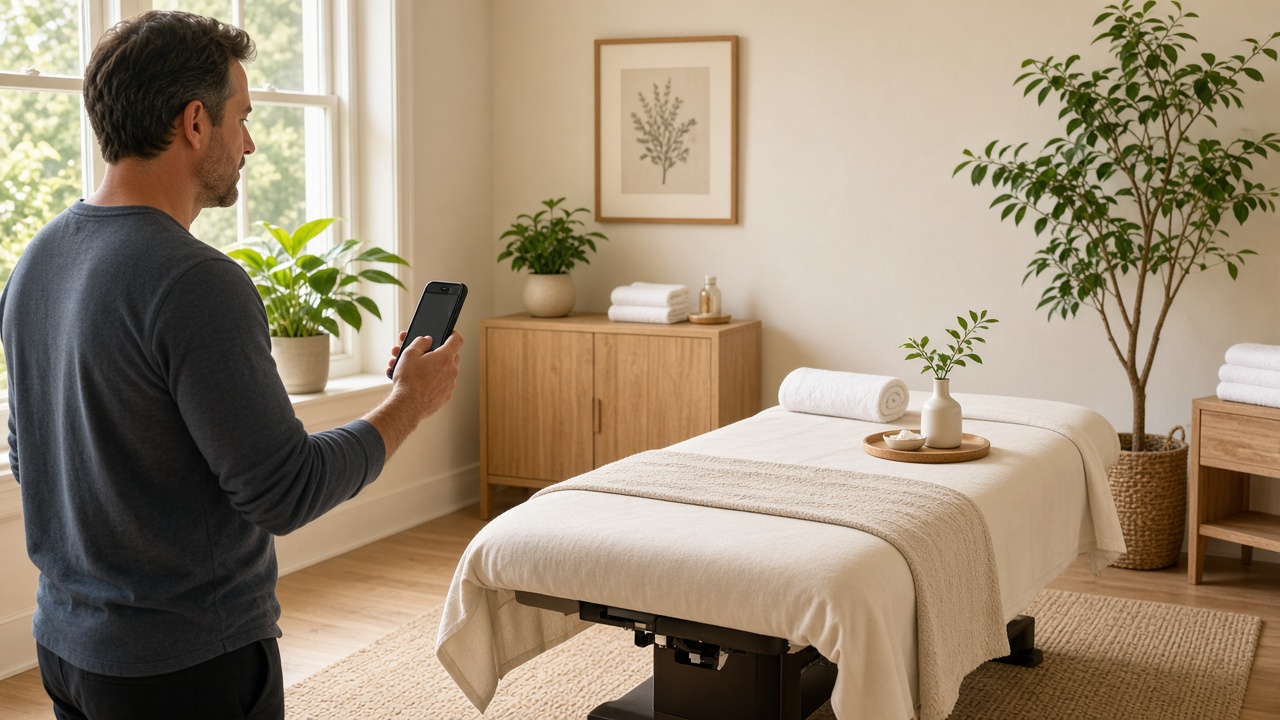
For most businesses, photos on a Google Business Profile are nice to have. For bodywork practices, they do real work. Booking a massage, adjustment, or facial means trusting a stranger in a private space, often partly undressed. Before someone books, they want to know: Is it clean? Is it calm? Who will I see? Can I find the door?
Good photos answer those questions before anyone has to ask. This guide covers what to shoot, how to shoot it with a phone, and what to leave off your profile entirely. It supports our Google Business Profile optimization guide for bodywork practices.
Why photos matter for bodywork
People browsing the map pack often compare a few profiles side by side. Photos are one of the quickest ways to tell practices apart. A profile with a handful of dated, dim images looks less active than one with bright, current photos of real rooms and real people.
Photos won’t override relevance or distance, and nobody can promise they’ll lift your ranking. But they shape the decision once someone is looking at you — and that decision is the whole point.
What to shoot
1. The exterior and entrance
Show your building from the street, the sign, and the specific door clients use. If you’re in a shared building or suite, photograph the lobby directory and hallway too.
Why it works: First-time clients worry about being late and lost. A clear “this is the door” photo reduces no-shows and frantic calls.
2. Parking and access
If you have parking, a lot behind the building, or a nearby garage, photograph it. Same for ramps, elevators, and accessible entrances.
Why it works: Clients recovering from injuries, pregnant clients, and older clients care a lot about stairs and walking distance.
3. Reception or waiting area
A tidy, well-lit shot of where clients check in and wait.
4. Every treatment room
Take a clean, straight-on shot of each room with the table made up, lighting set the way it is during sessions (but bright enough to see), and clutter removed. If rooms differ (a larger couples room, a room with a hydraulic table), show that.
Why it works: This is the photo people look for most. It answers “is this clean and professional?” in a second.
5. You and your team
Friendly, natural photos of each practitioner — in the space, in work attire. A simple portrait by a window works better than a stiff headshot against a wall.
Why it works: People book people. A face lowers anxiety, and for many clients, knowing who they’ll see is the deciding factor.
6. Details that show care
Fresh linens, a heated table pad, bolsters for prenatal positioning, a clean product shelf, a hand-washing station. These small shots signal professionalism without saying a word.
7. Work in progress (carefully)
A photo of a practitioner working — for example, hands on a shoulder, posture assessment, a chiropractic table setup — can help people understand what you do. Use a team member, friend, or model who has given written consent, keep it modest, and never use photos of actual clients without explicit written permission.
How to shoot them well (with your phone)
You don’t need a photographer, though a professional session every year or two is worth it if your budget allows.
- Use daylight. Open blinds and shoot mid-morning. Turn off mixed overhead lights that cast yellow or green tones.
- Shoot at chest height, straight on, with vertical lines straight. Tilted angles make rooms look smaller.
- Clean first. Remove cords, laundry bins, personal items, and stacks of paperwork.
- Use the main camera, not digital zoom. Step back instead of zooming.
- Keep editing light. Brighten and straighten. Avoid heavy filters — clients notice when the room doesn’t match the photos.
- Shoot horizontal and square options. Google crops differently in different views.
Batch your shoot: 20 minutes on a quiet morning can produce two months of photo updates. Add one or two per week as part of your weekly marketing checklist.
What to skip
- Stock photos. Clients can tell, and it raises the question of what your real space looks like. Google’s guidelines also expect photos to represent your actual business.
- Identifiable clients without explicit written permission. Even a happy regular’s photo can feel like a privacy issue to them later — and in healthcare-adjacent settings, it can create compliance problems. Don’t post photos that suggest someone is a client.
- Text-heavy graphics and flyers. Promotional images with lots of text look like ads and are hard to read on phones. Save offers for Google Posts.
- Before-and-after photos with claims. Particularly in skincare and chiropractic, these can imply results you can’t promise and may run into advertising rules in your profession.
- Dark, moody “ambiance” shots. They look great in person and murky on a phone.
- Old photos of a previous space or former staff. Remove these. They create confusion and awkward conversations.
Dealing with photos you didn’t upload
Anyone can add photos to your profile, and Google sometimes features them. Most are harmless (a client’s photo of your sign), but occasionally you’ll find a blurry, unflattering, or irrelevant image.
You can’t delete customer-uploaded photos directly, but you can report ones that are inappropriate or don’t represent your business. The more effective long-term fix is adding enough strong photos of your own that they become what people see first.
Setting your logo and cover photo
- Logo: a clean, square version of your logo on a plain background.
- Cover photo: your owner-preferred main image. A bright treatment room or a welcoming exterior usually works best. Google may not always show your chosen cover, but setting one tells Google what you prefer.
A simple photo plan
Initial set (one session):
– 2 exterior / entrance
– 1 parking or accessibility
– 1 reception
– 1–2 per treatment room
– 1 per practitioner
– 3–5 detail shots
Ongoing:
– 1–2 new photos per week or every other week
– Full refresh of room and team photos once a year, or whenever something changes (remodel, new team member)
Where photos fit in the bigger picture
Photos are one part of a complete profile alongside accurate categories, services, hours, and reviews. If you haven’t checked your categories recently, see how to choose the right GBP categories for massage and chiropractic. For the full system across your profile, reviews, and website, start with our guide to local marketing for massage and bodywork therapists.
The goal is simple: when someone nearby is choosing between three practices, your photos should make the choice feel easy and safe.
